
How to turn off a VPN on Android and iPhone
Why you might need to turn off the VPN on your smartphone, and why you should be careful when you do


Share
For many people, smartphones have become the main means of accessing the world online. This is for the simple reason that they have combined almost all the basic functionalities of a computer with mobility and convenience.
We all probably feel the effect of this: we’re increasingly spending more and more time on our phones, becoming attached to them, and doing everything through them at the click of a screen. The thing we might not realize is how much data about our personal lives is becoming exposed by this fact.
What is a VPN on iPhone or Android, and why use it? Virtual Private Networks (VPNs) are important online privacy tools that now can even be used on your smartphone. This ensures that we can use our iPhone or Android smartphone for everything we practically need without having to worry about our data being tracked or compromised.
However, there might be contexts in which you need to disable the VPN on your iPhone (slow connections, work communications, VPN blocking, etc.). This article will first walk you through how to disable a VPN on your iPhone if you need to, as well as the reasons for and risks of deactivating it.
Warning: disabling the VPN on your iPhone will remove any privacy protections it provides, potentially exposing your personal data.
Why do you need a VPN on your phone?
What’s the point of using a VPN on your smartphone? Because everything you do on it, just like with a web browser, can be tracked, harvested for your metadata, targeted by hackers, or be subject to government surveillance. Learn more about how we are all being tracked online and why. If you care about your privacy, using a VPN on your phone is an important step in the right direction.
What is a VPN?
Here are some more specific contexts where using a VPN on your phone might be necessary.
Using public Wi-Fi networks
These networks, especially if they don’t require passwords, can be means for surveillance and hacking attempts. Hackers are known for setting up dummy Wi-Fi networks to lure unsuspecting users into free internet access. However, when users connect with the public web, the metadata of their traffic can be tracked and potentially exploited by way of the open Wi-Fi network.
Traveling
When traveling and using foreign Internet Service Providers (ISPs), you may not be provided with the same level of privacy as you expect from your own ISP and country (though [privacy is pretty much at risk everywhere. Learn more about who's tracking us online in Nym's guide.
Nonetheless, using a mobile VPN can better protect your data while on foreign networks.
Accessing location-based services
You may want to access content or services which are not available in your own country. Streaming services often make particular film content available to users, so a VPN can permit you access to seeing content available elsewhere.
Political censorship can also prohibit people from accessing certain information, news, or foreign media. A VPN might be able to help people bypass these restrictions. However, both streaming services and governments can also block known VPNs from being used to access their networks or ISPs.
Bypassing network firewalls
A firewall is essentially a security mechanism of a network that monitors incoming and outgoing traffic to block access based on pre-determined rules. Firewalls often function by permitting certain geographic IP addresses and blocking others, as we just saw.
Others may analyze the content of the traffic to block certain activities. Through VPN encrypted tunneling, traffic can be made to resemble typical HTTPS encryption on the outer layer to pass through certain firewalls. This can be an important tool in bypassing censorship restrictions, though the results are variable.
Why turn off your VPN on Android or iPhone?
Given all the privacy benefits of using a VPN on your smartphone, there are still many circumstances when a VPN might need to be deactivated. Here are a few to consider.
Troubleshooting your internet connection
Sometimes VPNs can create connection problems when coordinating with your ISP. Like restarting your computer or browser, a lot of glitches can be fixed simply by closing and reopening your VPN app, or by turning your data connection on and off on your smartphone.
Weak online connection
Slow internet connections and latencies can happen for many reasons, not all of which are the fault of the VPN. Routing your traffic through a VPN creates an obvious additional step in connecting with the public web. So when something like bad ISP connections and a VPN are combined, accessing the internet can sometimes be temporarily brought to a snail’s pace. Turning off the VPN can maybe help improve your connection at the cost of your privacy, but not if the problem is with your ISP.
Network firewalls
Firewalls can often be set to block VPN use. They can do this by identifying the public IP addresses of known VPNs or the ports their encryption protocols use. For instance, accessing a secured work network might require a user to deactivate their personal VPN.
Accessing location-based services
Some online services may block known VPNs from accessing their content, such as streaming services that provide specific content for certain countries. Many apps, like weather apps and clocks, also function according to the geolocation of your device. It might be necessary to disable your VPN to see what you want, or to get the information most relevant to you.
Battery is running low
Like any app running in the background all the time, users can experience increased battery consumption. If you’re really running low and don’t have a charger, deactivating your VPN can help. But this is a small change, and perhaps not worth the risk.
How to turn off VPN on iPhone and Android
If you need to turn off the VPN on your your iPhone or Android device, here are the steps:
Through the VPN app
Most mobile VPNs allow you to turn your VPN on and off on the homescreen of the VPN application. This is useful if you’re experiencing slow connectivity and need to speed things up for a particular task before reactivating it.
Through your iPhone or Android
If this doesn’t work, you can deactivate your VPN through your iPhone or Android's settings.
Here are the steps for turning off VPN through iPhone settings:
- Go to Settings and click on General.
- Find and select VPN & device management.
- Toggle the VPN status to Not connected.
Here are the steps for turning off VPN through Android settings:
- Go to Settings > Network & Internet
- Click the VPN option.
- Change the VPN status to Off
If following the above steps didn’t work, try the following:
- Under VPN & Device Management, tap the small ⓘ icon next to your VPN’s name
- Switch off the Connect On Demand toggle.
How to remove VPN from iPhone
At Nym we strongly believe that using a VPN for almost all of your online traffic is crucial to protecting your privacy and safeguarding your data. Before you consider removing a VPN from your phone or computer, consider ways of customizing what kinds of traffic uses the VPN and what bypasses it to avoid turning it on and off for particular tasks. This can solve a lot of the common inconveniences of a VPN (slowness, delays, etc.) without compromising your privacy.
But if you’ve decided you no longer need a VPN on your phone, here are the two easy steps to remove it:
Simply click the circled x at the top right corner of the VPN app icon.
- Open the Google Play Store app.
- At the top right, tap the Profile icon.
- Tap Manage apps > devices > Manage.
- Select the VPN app you want to delete.
- Tap Uninstall.
Conclusion
Thankfully we can now use VPNs on our smartphones. And if we need, they are easily designed to be disabled if needed. But in the end, all of these options force users to make an either/or choice: turn the VPN on or off, enable our privacy or deactivate it for circumstantial reasons.
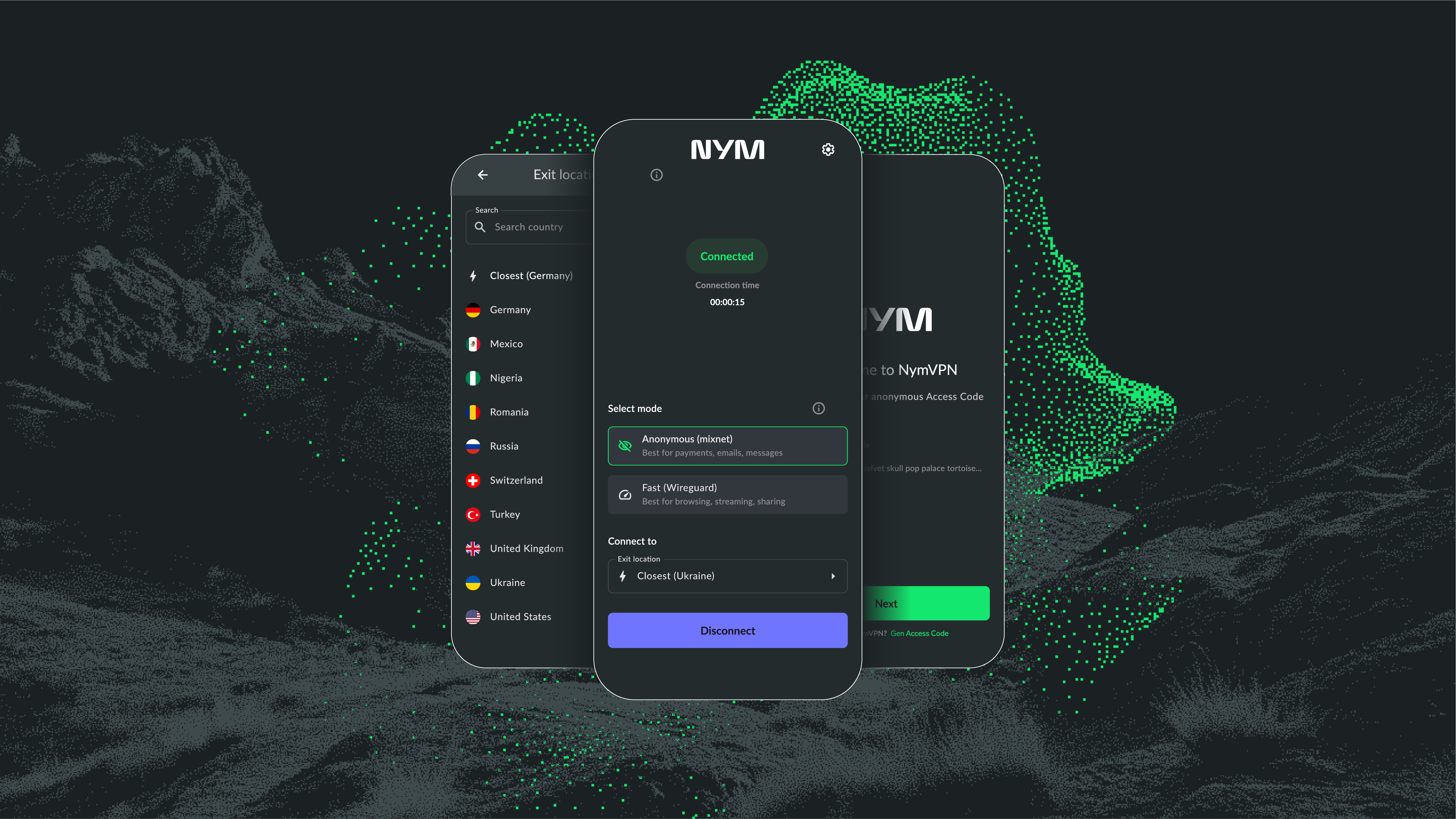
NymVPN gives users an important choice in how their online privacy is managed and customized:
- For general privacy protection, users can have a fast 2-hop Fast mode, which exceeds most other traditional VPNs on the market in terms of privacy protections and speed optimization through WireGuard
- And an optional 5-hop Anonymous mode which can be chosen for specifically sensitive traffic, like communications and crypto transactions.
Ultimately, Nym wants to make the question of whether you need to turn your VPN on and off every time you need speed null and void. By custom configuring your VPN, you may never have to worry about this by trusting your privacy in a decentralized network and user-centric product design.
Nym's Noise Generating Mixnet
Disable VPN on Android: FAQs
Disabling a VPN exposes traffic to local ISPs or captive portals, making users vulnerable to eavesdropping or tracking. Automatic protocols assistance may leak metadata temporarily until VPN reconnects.
Yes—mobile VPN disconnection might revert DNS or IPv6 traffic through carrier defaults. This can introduce silent leaks unless the VPN app enforces DNS/IP6 routing strictness.
System-level VPN clients typically pause all routing, while app-level clients may leave some traffic live (especially IPv6 or background services), potentially exposing metadata.
Android usually allows persistent firewall rules blocking non‑VPN traffic. iOS is more restrictive—some clients rely on On-Demand VPN rules or MDM policies to enforce kill switches reliably.
Regulated environments (e.g. GDPR, HIPAA, financial sector) often require continuous encryption. Some enterprise VPNs auto-reconnect or block apps when VPN is disabled to maintain compliance.
About the authors
Dario Ramponi
SEO ManagerCasey Ford. PhD
Technical reviewerTable of contents
Keep Reading...

How to turn off proxy on your computer
Disabling a proxy can be both necessary and risky, but here’s how to do it
What is a VPN (Virtual Private Network)?
A guide to the popular privacy tool with centralized and decentralized forms
What is NymVPN? Everything you need to know
A guide to the world’s most private Virtual Private Network